Roland BN & BN2 Video Tutorials + Same-Day Support

Get expert help with your Roland BN2, BN-20A, or VersaSTUDIO — video tutorials, VersaWorks setup, print and cut workflows, and same-day support from Melissa.

play buttonWatch Video
animated arrow
  • 1:1 Chat Support & Same Day Email Support with Melissa
  • Exclusive Access & Benefits

It's Like Having Your Own Coach

Whether you are a Roland beginner or an advanced user, enrollment saves you hours of time weeding through the Internet looking for help and inspiration.

Wondering why we're "Silhouette" U? It all started in 2013 with a Silhouette die cutting machine. Over the years Melissa's knowledge and expertise has grown and developed into strong partnerships with other leading manufacturers in the customization industry, including Roland.

She's thrilled to share her expertise and one of a kind support with you as you grow your craft or small business.
Learn More

BONUS! Watch an Exclusive Roland Video from the Silhouette U Library

The videos in our Silhouette U library are exclusive to Silhouette U and can't be found anywhere else - including on Youtube. Get a sneak peek before you join by watching the Roland video below.

Free Vinyl Sticker Calculator

Our free sticker cost calculator is available to help you accurately price vinyl stickers. Price right so you're only cutting stickers, and not your profits!

A more advanced cost calculator is free to members of Silhouette U.

Try FREE Sticker Cost Calculator

Unlock Full Access Member Benefits & Access

1:1 Assistance icon

1:1 Assistance

  • Personalized Same Day Support with Versaworks, Cut/Perf Lines
  • Get your questions answered in real time
  • Regularly voted one of our members' favorite perks

Exclusive Assets / Libraries icon

Exclusive Assets / Libraries

  • Access to Exclusive Roland "How To" Videos
  • Vinyl Sticker Pricing Calculator
  • Exclusive Members-Only Mini Guides
  • Monthly Coupon for Fonts & Designs (Pays for your membership!)

Fast Help & Savings icon

Fast Help & Savings

  • Access to Member Only Priority Inbox for Fast Help
  • Private Facebook Group Access
  • Member Only Deals at Retail Partners

We're More Than Just Silhouette! Other Brands We Support


×

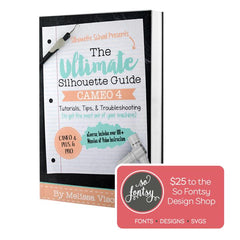
The Ultimate Silhouette Guide for Cameo 4 eCourse (Cameo 4, Cameo Plus, Cameo Pro)

Add-On Image

One Time Price!

Eek we’re so excited to have you join us at Silhouette U! We have a special offer for you!
The Ultimate Silhouette Guide for CAMEO 4 at 50% off! This is a price we ONLY offer right now - as an add on at Silhouette U sign up. Lots of our members say they use their ebook as a quick reference guide that they can tab and make notes in, in combination with the Silhouette U videos! Having both is hands down the best way to quickly master your Silhouette machine AND the software!

Frequently Asked Questions

The process depends on whether you're on a PC or Mac. PC users have it easier — Roland includes a Flexi license with the machine, and Flexi handles print and cut lines in one straightforward workflow. Mac users don't have that option since Flexi doesn't run on Mac, so the workaround most Silhouette U members use is designing in Silhouette Studio or Affinity Designer, setting up cut lines, and sending to VersaWorks. It sounds like more steps but it works well — and Silhouette Studio's vectorizing tools are actually more powerful than most people realize. Silhouette U has tutorials covering both paths, including First Print and Cut With Roland BN-20A for Beginners and the full Mac cut line workflow.
Perf cuts — where the blade perforates instead of cutting all the way through — are one of the most requested Roland techniques and one of the trickiest to dial in. The setup varies depending on your software: Silhouette U covers the workflow in Affinity Designer and Silhouette Studio as well as Flexi for BN2. If your perf cuts aren't coming out clean, there's also a dedicated video on the two VersaWorks settings that make the biggest difference. Members can also get same-day help dialing in their specific settings via member chat.
This is one of the most common Roland frustrations — and it usually happens at the worst possible time. The fix typically involves resetting or reinstalling the Roland DG Connect Hub utility, but the steps aren't obvious and Roland's own documentation isn't great. Silhouette U has a dedicated video walking through exactly what to do: What Do I Do If Roland DG Connect Hub or Utility Won't Open? If you're still stuck after that, members get same-day support — just reach out via the member chat and we'll get you sorted.
VIEW ALL

"Absolutely Worth It"

"I am brand new to the printing/cutting game, with a Roland BN2-20A. I joined Silhouette U because of all of Melissa’s helpful YouTube videos on my new machine. The membership has been absolutely worth it! Melissa is so knowledgeable and super responsive to any questions." - K.M. Silhouette U Member


Shopping Cart

Your cart is currently empty.